
Creating Professional Headshots Without Writing Complex AI Prompts
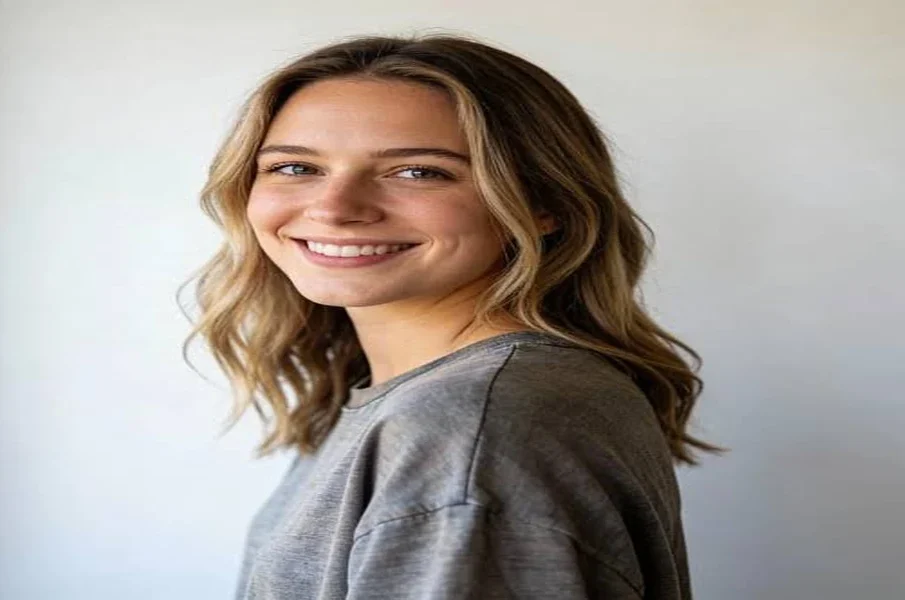
A professional headshot plays an important role in building a positive impression online. It is commonly used on LinkedIn profiles, company websites, business cards, employee directories, and other professional platforms. However, arranging a professional photoshoot can take time and money. AI headshot generators offer a convenient alternative by turning ordinary photographs into polished portraits.
One concern for beginners is writing detailed prompts to get the desired results. Fortunately, many modern AI headshot tools provide simple features that allow users to create professional images without technical knowledge or complicated instructions.
Many people assume that generating realistic images with artificial intelligence requires mastering complex text commands or crafting lengthy, hyper-specific descriptions. However, dedicated portrait tools make it easy to upgrade your personal branding without using ChatGPT basically or relying on intricate prompt engineering. Because these specialized generators are already trained specifically on studio lighting, facial proportions, and professional attire, they handle the heavy lifting behind the scenes-allowing anyone to achieve clean, reliable results with minimal effort.
Choose a Clear Photograph
The quality of the original photograph has a major influence on the final result. Start with a clear image in which your face is easily visible. Choose a picture with good lighting, a natural expression, and minimal background distractions.
Avoid photographs with heavy filters, sunglasses, or objects covering your face. A front-facing or slightly angled picture usually gives the AI tool enough information to create a natural-looking portrait.
Use Ready-Made Styles and Templates
Many AI headshot platforms include preset styles for different professional requirements. Instead of describing every detail through a written prompt, users can select an option that matches their intended appearance.
Common choices include:
- Corporate portraits: Suitable for company websites, employee profiles, and business presentations.
- LinkedIn headshots: Designed for professional networking profiles.
- Creative portraits: Useful for people working in design, media, and other creative industries.
- Formal business images: Feature professional clothing and clean backgrounds.
These options make the process easier, especially for people who are unfamiliar with AI prompting.
Adjust Settings Instead of Writing Prompts
Some platforms allow users to customise their portraits through simple controls. You may be able to select clothing styles, background colours, lighting preferences, and image framing.
These adjustments help you guide the result without writing lengthy descriptions. Choose settings that match your industry and the platform where you plan to use the photograph.
Review and Refine the Final Image
After generating the portraits, take time to compare the available results. Look for an image that maintains your natural facial features, has balanced lighting, and appears suitable for professional use.
Pay attention to details such as eye alignment, hair, skin texture, clothing edges, and background quality. Avoid selecting an image simply because it looks highly polished. Excessive digital changes can make a portrait appear unrealistic.
Select a Reliable AI Headshot Generator
Before uploading personal photographs, review the platform’s privacy policy and understand how it stores, processes, and uses your images. Choose a service with clear privacy information and suitable download options.
Creating professional headshots no longer requires advanced photography skills or complicated AI prompts. With a suitable photograph, ready-made templates, and simple customisation settings, users can produce polished portraits more conveniently. The key is to choose a result that looks professional while still representing your real appearance.


